Assets
A shared media library for every file, reference, and project in the studio.A shared media library for every video, image, audio track, character reference, and generated output that moves through your studio pipeline.
Everything in one media backbone.
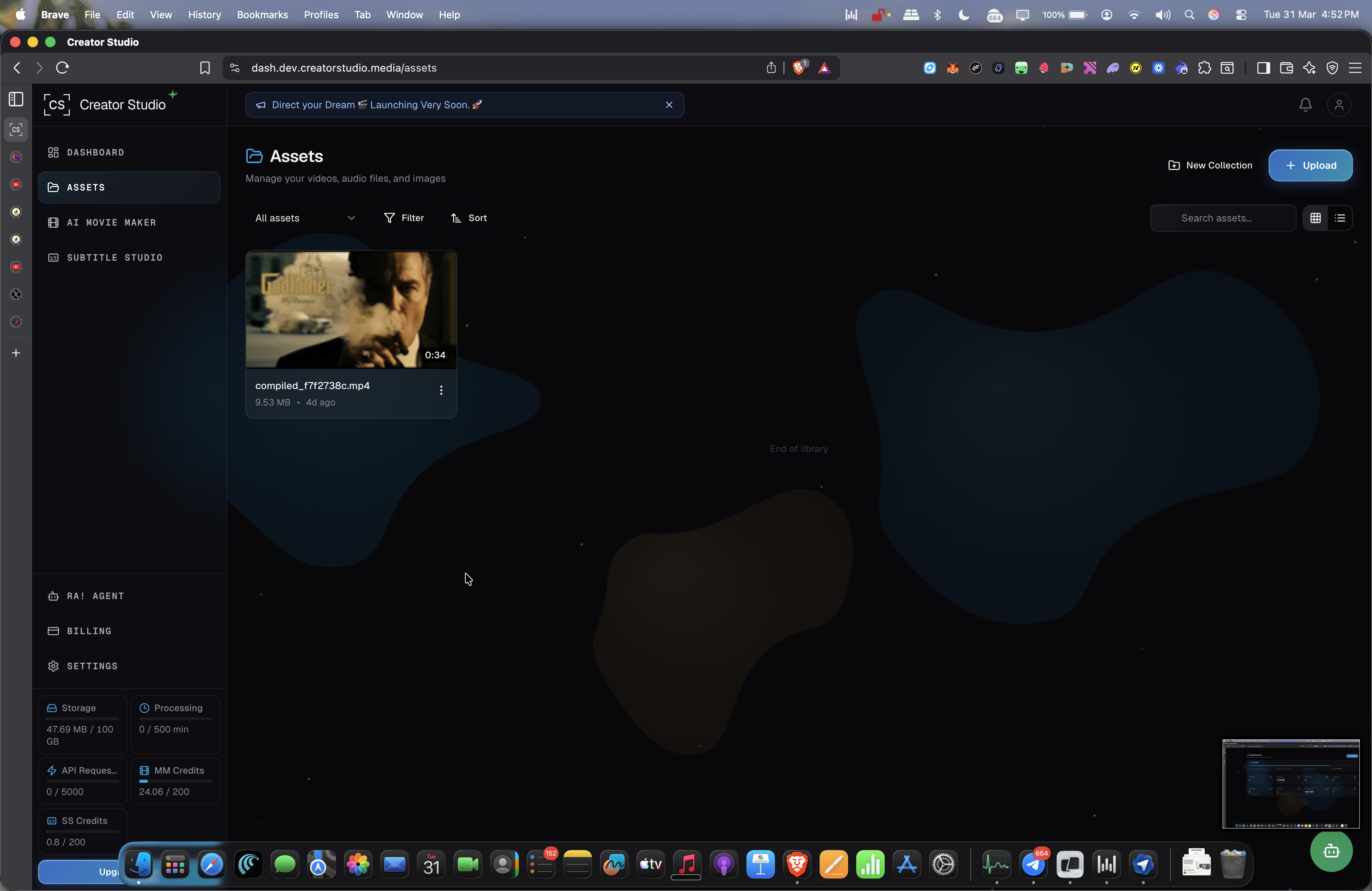
Browse uploaded media from one dedicated asset layer
The latest library view makes it clear which files are available, when they were added, and how the studio is organizing reusable media.
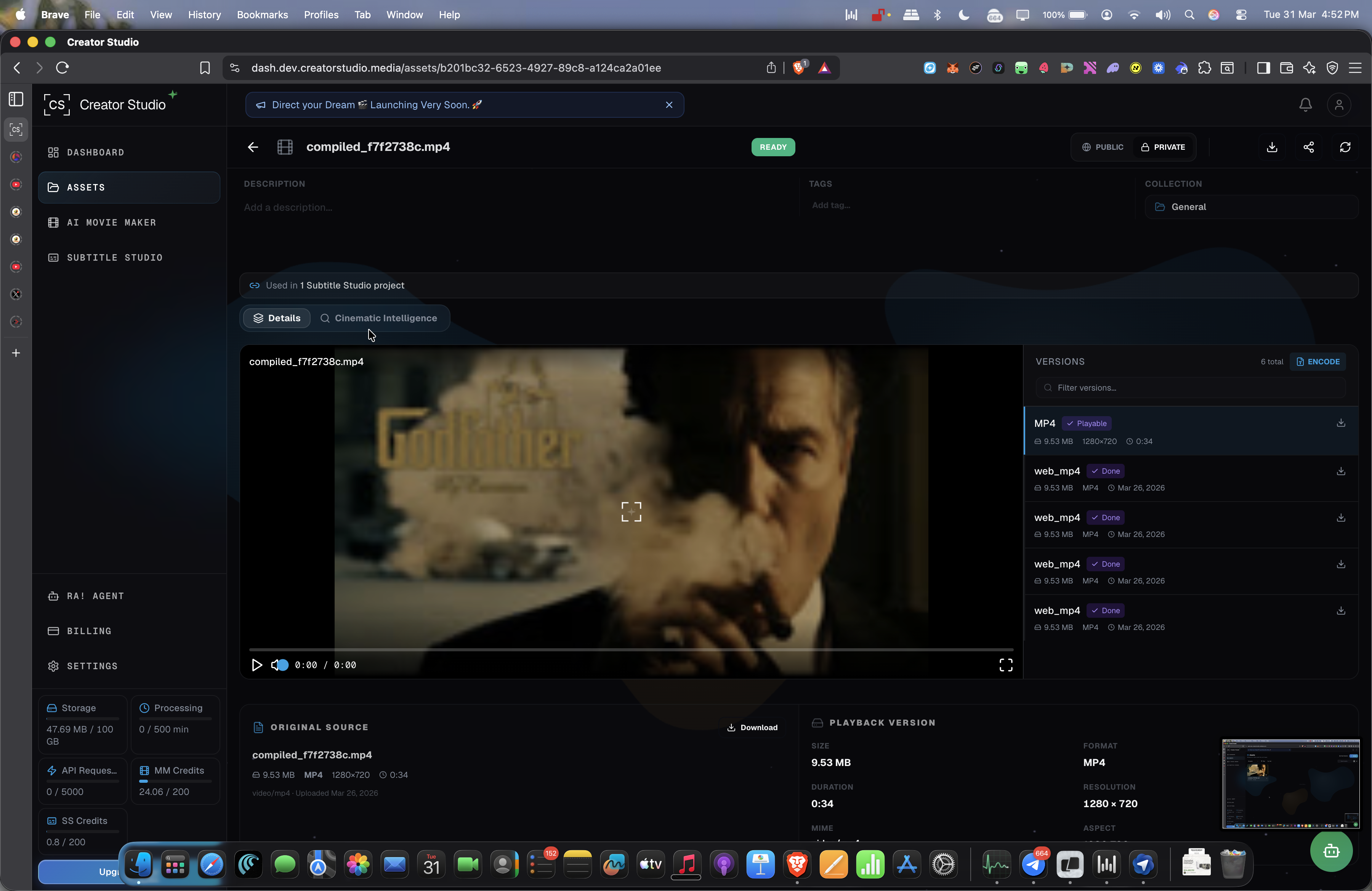
Inspect versions, playback metadata, and source files
Each asset can open into a richer detail view with version history, technical metadata, and the exact file that powers downstream workflows.
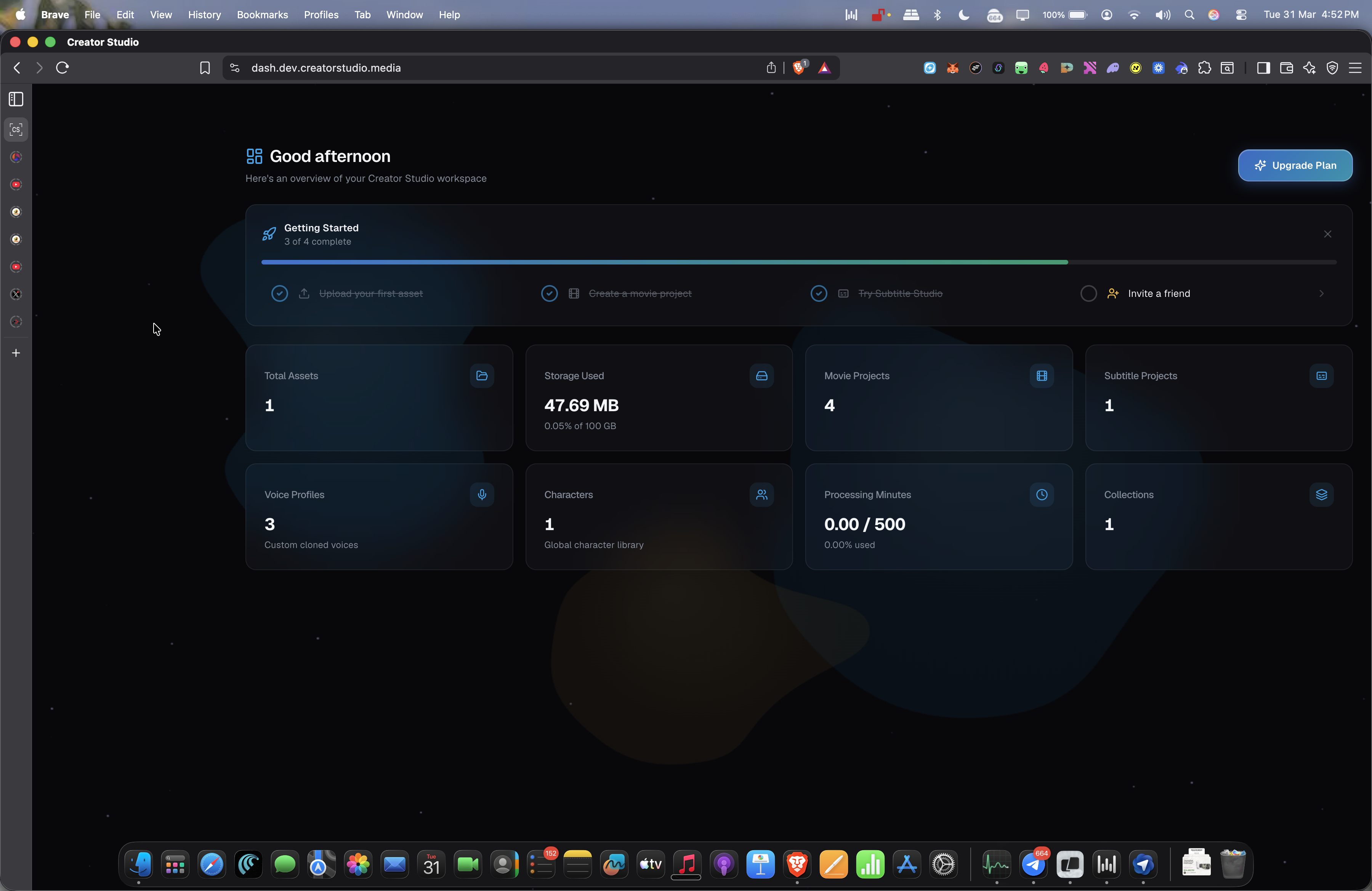
Asset activity visible across the studio dashboard
Storage, projects, subtitle work, and collections are all visible in the broader workspace layer around the assets system.
One Library
Keep video, audio, images, character references, and generated files in one shared studio workspace.
Fast Retrieval
Find the right asset quickly with structured organization, visual browsing, and production context.
Project Collections
Group assets by campaign, episode, artist, or series so teams can jump into the right working set instantly.
Pipeline Connected
Use the same assets across Agent Ra, Movie Maker, Subtitle Studio, and downstream publishing workflows.
Upload Once
Centralize source files once and reuse them everywhere instead of re-uploading for every production step.
Studio Control
Keep the workspace organized and production-safe as more projects, creators, and deliverables move through it.